
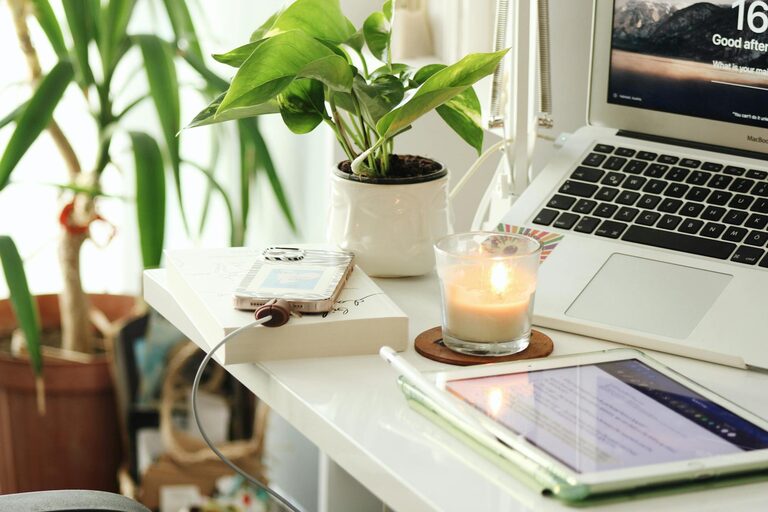
Creating a home office that is both cozy and productive can make a significant difference in your work-from-home experience. Whether you’re setting up a new space or improving an existing one, striking the right balance between comfort and efficiency is key. In this blog post, we’ll explore practical tips to help you design a home office that encourages focus, creativity, and a sense of well-being.
Why a Cozy Home Office Matters
A comfortable workspace doesn’t just feel good—it can also improve your focus, reduce stress, and increase your overall productivity. When your home office feels inviting, you’re more likely to stick to your work schedule and enjoy the time you spend there.
—
1. Choose the Right Location
Consider Natural Light
Pick a spot with plenty of natural light if possible. Sunlight helps regulate your mood and energy levels throughout the day. Position your desk near a window but avoid direct glare on screens.
Minimize Distractions
Look for a quiet area away from household noise. If space is limited, use room dividers or noise-cancelling headphones to create separation.
—
2. Invest in Comfortable and Ergonomic Furniture
Desk and Chair
Choose a desk that fits your workflow and available space. A desk with enough surface area to hold your computer, documents, and work tools helps maintain organization.
Select an ergonomic chair with good back support to prevent discomfort during long hours. Adjustable chairs and standing desk options offer flexibility.
Add Supportive Accessories
Footrests, wrist rests, and monitor stands can improve posture and reduce strain.
—
3. Organize with Purpose
Declutter Regularly
A tidy desk minimizes stress and allows you to focus. Keep only essentials on your desk and store other items away.
Use Storage Solutions
Shelves, drawers, and organizers help keep supplies and papers in order. Label containers to quickly find what you need.
Digital Organization
Keep your computer desktop and files organized too. Use folders and backups to manage digital clutter.
—
4. Enhance Ambiance with Lighting and Color
Layered Lighting
Combine overhead lighting with task lamps to reduce eye strain. Adjustable lamps help you control brightness.
Choose Soothing Colors
Soft, neutral tones or pastel colors often create a calm atmosphere. However, a pop of bright color can energize your space.
—
5. Add Personal Touches Without Overcrowding
Include a few personal items like plants, photos, or artwork to make the space feel welcoming. Indoor plants can improve air quality and add a touch of nature.
Avoid overcrowding your space with too many decorations, which can cause distractions.
—
6. Incorporate Technology Wisely
Reliable Equipment
Invest in good-quality devices such as a fast computer, a responsive keyboard, and a clear webcam if you have video meetings.
Cable Management
Use cable organizers or clips to keep cords neat and prevent tangling.
Sound Control
Consider adding a small speaker for background music if it helps your focus, or noise-cancelling headphones to block distractions.
—
7. Schedule Breaks and Create Boundaries
Set Working Hours
Create a routine by setting specific work hours and sticking to them.
Break Area
If space allows, designate a separate spot for stretching or short breaks to refresh your mind.
Avoid Work Creep
Keep work confined to your office space to maintain a healthy work-life balance.
—
8. Keep Comfort Items Close
Hydration and Snacks
Keep a water bottle and healthy snacks nearby to stay energized without constant disruptions.
Temperature Control
Use fans, heaters, or humidifiers as needed to keep the environment comfortable year-round.
—
Final Thoughts
Designing a cozy and productive home office is about creating a space that supports your unique work style while making you feel comfortable and motivated. By paying attention to location, furniture, organization, lighting, and personal comfort, you can set yourself up for success in your remote work journey. Remember, your home office should be a place where you enjoy spending time and feel inspired to do your best work.